


 Login
Login

 العربية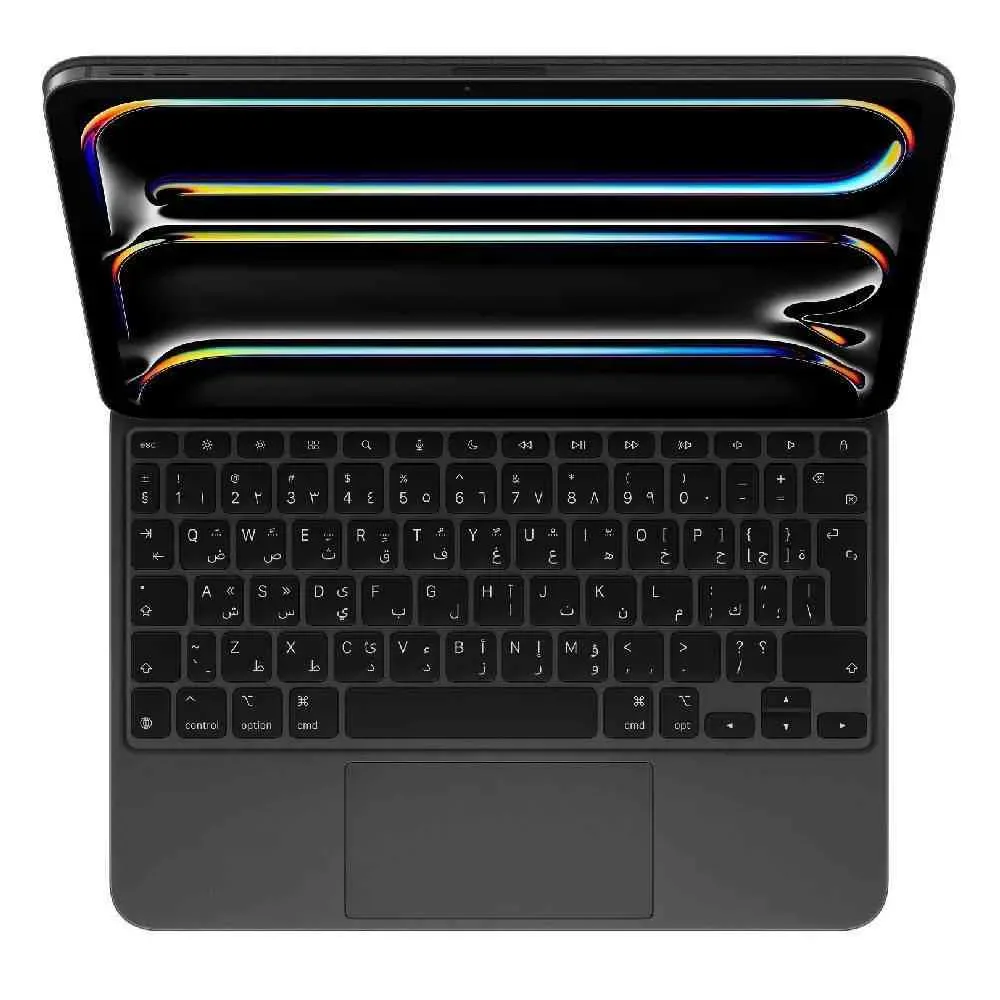
If you rely on your iPad for lectures, studying, and note-taking, simply choosing the right device isn't enough. The real secret to a smoother and faster learning experience lies in the best iPad study accessories. The right accessory can transform your iPad from a good device into a practical study station that serves you throughout the day without interruption or clutter.
Students often make a common mistake—buying numerous accessories only to discover that half of them are useless. It's better to focus on items that offer direct value: faster typing, greater comfort, better protection, and enough battery life for your school day. Here you'll find truly worthwhile choices, along with an explanation of when they're essential and when they're not.
How to choose the best iPad accessories for studying?
Before you buy, ask yourself two simple questions: Do you use the iPad more for writing or reading? And do you study often at a desk or on the go? The answer here will determine whether you need a stylus first, or a keyboard, or a stand, or even a power bank.
If you're a university student who relies on PDFs and lecture summaries, a pen is likely a priority. If you write lengthy reports and research papers, a keyboard becomes a more obvious investment. And if you commute frequently between home and university, protection and charging are more important than you might expect.
The most important point is compatibility. Not every accessory is compatible with every iPad model, so you should check your device's size, port type, and whether it supports charging or magnetic pairing before making a purchase. This will save you unnecessary expenses and ensure a stable user experience from the start.
The smart pen is the most important study accessory for most students.
If your studies involve taking notes, solving equations, drawing diagrams, or annotating lecture notes, a smart pen isn't just a luxury. It's incredibly practical, especially with educational applications that rely on handwriting and visual organization.
The great advantage here is that the pen gives you flexibility similar to a traditional notebook, but with more digital features. You can edit notes, highlight important points, transfer drawings, and search the content later if the app supports it. These small details save a lot of time while studying and before exams.
However, not every student needs the highest quality pen. If your use is simple and limited to light note-taking, a mid-range option might suffice. But if you're studying a subject that relies on drawing or detailed explanations, such as engineering, design, or medicine, it's best to choose a pen that is responsive and offers precise pressure sensitivity and angle adjustment.
The keyboard significantly increases productivity.
Many students begin studying on iPads using only the touchscreen, only to discover later that writing research papers, university emails, and reports becomes unnecessarily slow. This is where the keyboard becomes invaluable. It's one of the most useful iPad accessories for those using the device as a near-complete laptop replacement.
The right keyboard saves you valuable time every day and helps you work anywhere—in the library, a café, or a waiting room before a lecture. And if it comes with a cover and built-in stand, you get two benefits in one.
However, there's a difference between a lightweight keyboard for quick use and one designed for extended periods of typing. If you type a lot, pay attention to the key size, connection stability, and language support. Some students prefer a detachable keyboard for weight reduction, while others prefer a keyboard cover for greater portability.
A protective case is not just for show.
School use means daily carrying, frequent opening and closing, and placing the device in a bag with books, chargers, and other items. That's why a good case is one of the most worthwhile items to buy early on. Not only does it protect the iPad from scratches and bumps, but it also makes it easier to carry and use on a table.
The best study option is usually a case that doubles as a stand with different angles: one for writing, another for viewing, and perhaps a third for reading. This type gives you more flexibility, especially if you switch between watching lectures and taking notes in the same session.
But don't go overboard with an overly heavy case if you'll be carrying your iPad all day. Protection is important, yes, but the extra weight might be more of a nuisance than a benefit. A better balance is key – good protection, a reasonable weight, and a cover with a magnetic closure if possible.
The iPad holder improves comfort and focus.
A desk stand may seem like a minor accessory, but it's more useful than many students realize. When studying for long hours, positioning the screen at a suitable angle and height reduces neck and shoulder strain, and makes reading or watching recorded lectures more comfortable.
A stand is very useful if you're using an iPad with a keyboard or while reviewing from your desk. It's also practical for study meetings or when explaining a topic to your classmates. Some stands are foldable and lightweight, making them ideal for students who want a flexible setup without adding significant weight.
If your study sessions are short and you use a case with a stable base, you might not need a separate stand. However, if you study for long hours every day, this item deserves to be a priority.
Earphones are helpful, but it depends on your study style.
Not every student needs headphones, but for a large segment, they are a very practical addition. If you're studying in public places, attending recorded lectures, or need some noise isolation while studying, wireless or wired headphones can significantly improve concentration.
Headphones suitable for studying don't necessarily have to be designed for gaming or high-end entertainment. What's most important are clear sound, comfortable wear, and battery life if they're wireless. And if you're attending online meetings or group discussions, a good microphone becomes essential as well.
But if you often study in a quiet place, headphones might not be a priority compared to a pen or keyboard. The choice here depends more on the environment than the device itself.
Fast chargers and power banks protect your school day from interruptions.
The worst thing about a long school day is running out of battery in the middle of a lecture or before an assignment is due. Therefore, a good fast charger or a suitable power bank is not a luxury, especially for students who spend long hours away from home.
If your iPad is your primary device for studying, having an extra charger in your bag is a smart move. A power bank is more useful if you're frequently on the go and can't guarantee a power outlet is nearby. The key here is choosing a power bank with the appropriate capacity and compatible charging capabilities to avoid slow or unstable performance.
Some students buy a power bank that's too large, only to discover it's heavy and impractical. The best approach is to choose a balance between capacity and size, as the goal of a school accessory is to make your day easier, not more complicated.
A screen protector might be more important with a stylus.
If you use a stylus frequently, a good screen protector can enhance the experience and protect the screen from minor scratches. Some types provide a more paper-like feel, which many students prefer because it helps with control and clarity while taking notes.
However, not every screen protector is perfect for everyone. Some types may slightly affect screen brightness or touch responsiveness. Therefore, the decision here depends on your priorities: Do you want the best stylus writing experience, or the best possible screen clarity?
For a student who writes daily, the writing experience is often more important. However, if your usage is mainly for viewing content and reading, a good quality, traditional clear screen protector may suffice.
Do you need a mouse for your iPad?
In some cases, yes, but not always. If you use your iPad for tasks similar to those on a computer, such as managing many files, formatting documents, or working with spreadsheets and presentations, a mouse can help with speed and accuracy.
However, if your academic use is primarily pen and touch, the performance difference may not be significant. For this reason, a mouse remains more of an optional accessory than an essential one. It's suitable for a specific group of users, but not a necessity for every student.
The best practical combination according to the budget
If your budget is limited, start with a smart pen and a good case. These two options offer the most immediate benefit for most students. If your studies involve long writing sessions, switch to a different pen or add a keyboard, depending on your usage patterns.
If your budget is moderate, the most effective combination is usually a smart pen, a keyboard or keyboard cover, and a supportive case or suitable stand. This setup makes the iPad more of a comprehensive study tool rather than just a screen for displaying content.
In the higher tier, you can add good headphones, an extra fast charger, and a reliable power bank. Here, you're not just buying accessories; you're building a comfortable daily experience that minimizes disruption and increases productivity. If you're looking for multiple options in one place with fast delivery and practical offers, you'll likely find this kind of variety very useful when shopping at a specialized tech store like A2Z MegaStore.
What is truly worth buying first?
If we were to rank the best iPad accessories for studying based on their actual impact, most students would prioritize the stylus, followed by a practical case, and then a keyboard. After that come additional accessories depending on your style: a desk stand, headphones for concentration, and a charger or power bank for portability.
The smart decision isn't to buy as many accessories as possible, but to choose what solves a clear, everyday problem. Are you slow at taking notes? Get a better pen. Tired of typing on a screen? Add a keyboard. Is your battery not long enough? Buy an extra charger. That way, every item you pay for will give you real value from the very first week of school.

