Welcome to A2Z MegaStore Kuwait 🇰🇼 | 💻 Best prices on laptops, gaming builds, and computer accessories | 🛠️ Build the gaming PC that fits you with our Build Your PC service and professional assembly | 🎯 Ongoing offers and exclusive discount coupons | 💳 Split your payment into up to 4 interest-free installments with Tabby, Deema, and Taly | 🚚 Fast same-day delivery across Kuwait


  • Instagram
  • Snapchat
  • TikTok
  • YouTube
Product Image
Product Image
Product Image
Product Image
Product Image

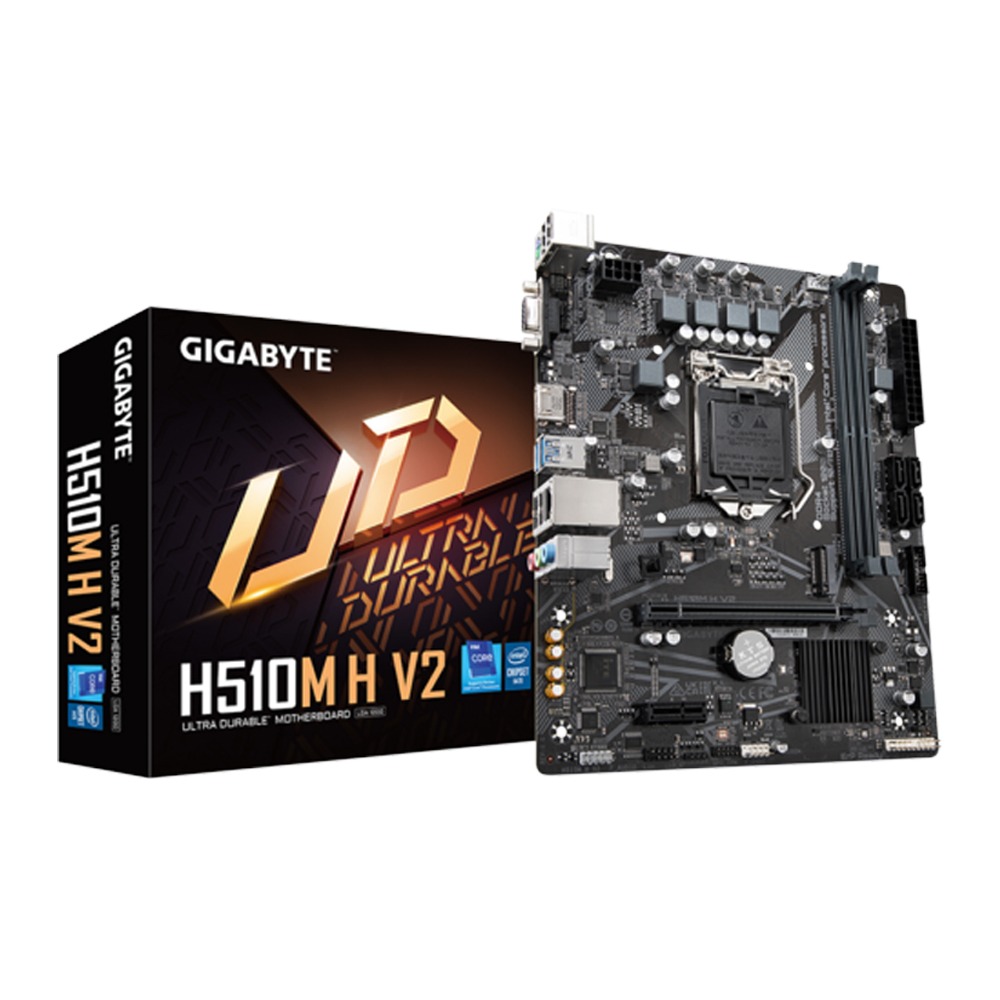
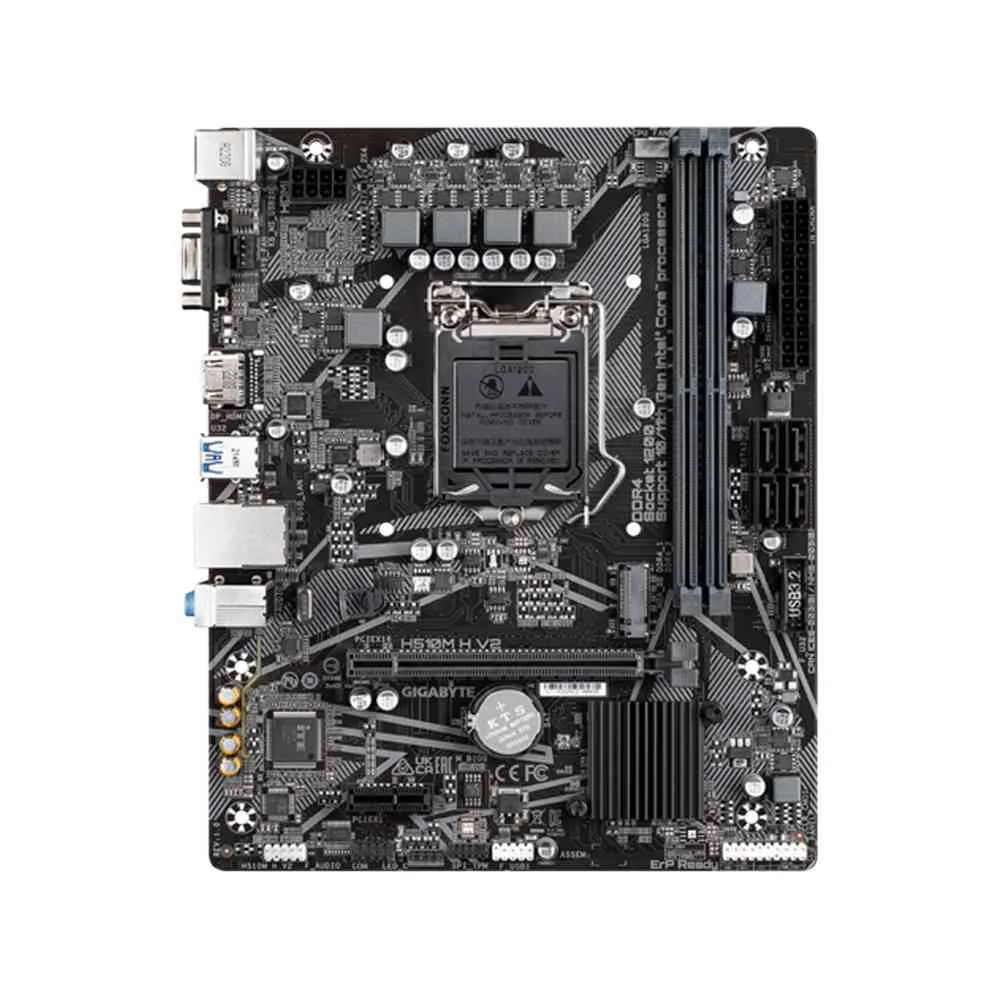
Gigabyte H510M H V2 DDR4 Micro-ATX Motherboard

4
Ratings5
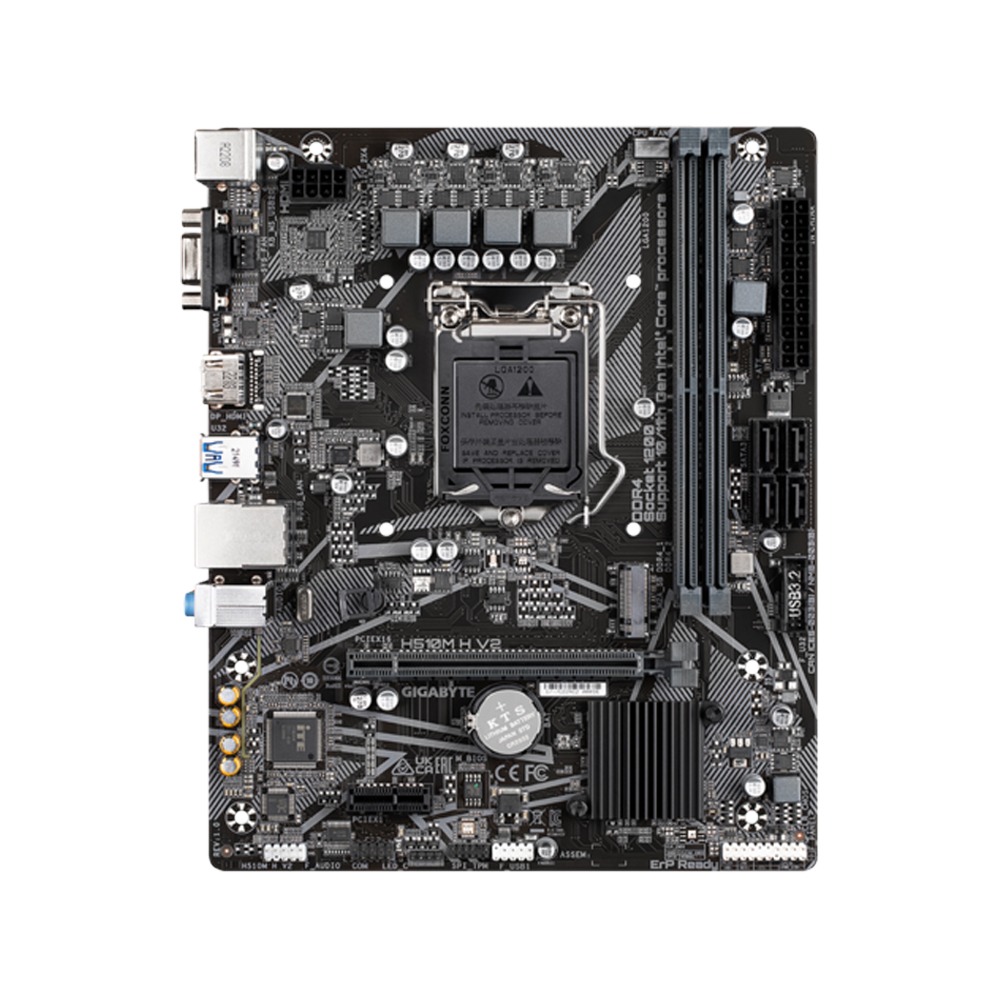
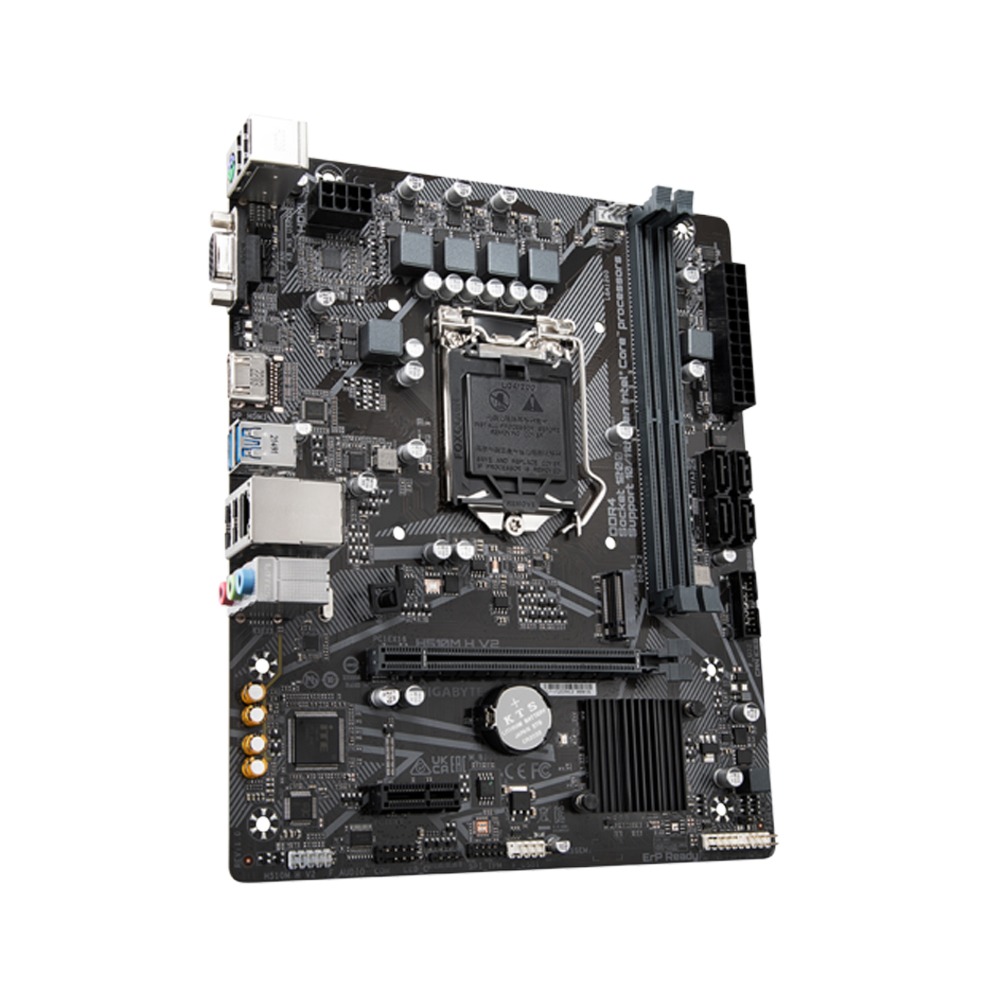
The Gigabyte H510M H V2 is a Micro-ATX motherboard supporting 11th/10th Gen Intel® Core™ processors. It features dual-channel DDR4 memory, an NVMe PCIe Gen3 x4 M.2 connector, and 8-channel HD audio for performance and connectivity
KWD 21.375
KWD 22.870
SKU :
H510M H V2
4 interest-free payments of KWD 5.718Learn more
Split into 4 payments of KWD 5.718 interest-free.Learn more
Taly
Estimated delivery:1 work day
Free return within: 14 days of purchase
Secure shopping your data is always safe
Overview

GigaByte H510M H V2 (rev. 1.0)

Intel® Ultra Durable Motherboard with GbE LAN, Anti-Sulfur Resistor, Smart Fan 5

  • Supports 11th/10th Gen Intel® Core™ Processors
  • Dual Channel Non-ECC Unbuffered DDR4, 2 DIMMs
  • 8-Channel HD Audio with High Quality Audio Capacitors
  • NVMe PCIe Gen3 x4 2280 M.2 Connector
  • GbE LAN with Bandwidth Management
  • Smart Fan 5 features Multiple Temperature Sensors and Hybrid Fan Headers with FAN STOP
  • GIGABYTE APP Center, Simple and Easy Use
  • Anti-Sulfur Resistors Design
  • System Information Viewer
  • GIGABYTE System Information Viewer is a central location that gives you access to your current system status. Monitor components such as the clocks and processor, set your preferred fan speed profile, create alerts when temperatures get too high or record your system's behavior; these are the possibilities of the System Information Viewer.

PERFORMANCE

  • NVMe PCIe Gen3 x4 2280 M.2 Connector
    GIGABYTE Motherboards are focused on delivering M.2 technology to enthusiasts who want to maximize their system’s potential.
  • Smart Fan 5
    With Smart Fan 5 users can ensure that their gaming PC can maintain its performance while staying cool. Smart Fan 5 allows users to interchange their fan headers to reflect different thermal sensors at different locations on the motherboard. Not only that, with Smart Fan 5 more hybrid fan headers that support both PWM and Voltage mode fans have been introduced to make the motherboard more liquid cooling friendly.
  • New Smart Fan 5 Software
    Choose from different modes, Quiet to Full Speed, to match your system usage preferences.
    For each fan or pump, you can use the intuitive fan curve to define trigger thresholds and corresponding fan speeds.
  • Fan Stop
    Achieve fan silence. With Fan Stop, map any fan to stop completely when temperatures drop below a specified threshold. Which fan stops, based on readings from which sensor, and at what temperature—all of it can be customized to your liking.
  • Hybrid Fan Pin Headers
    Assume complete control over your liquid cooling setup! Smart Fan 5 receives up-to-the-second information on flow-rate and water-temperature through the Hybrid Fan Pin Headers or external thermistor sensors—giving you absolute mastery over your PC.
  • EasyTune™
    GIGABYTE's EasyTune™ is a simple and easy-to-use interface that allows users to fine-tune their system settings or adjust system and memory clocks and voltages in a Windows environment. With Smart Quick Boost, one click is all it takes to automatically overclock your system, giving an added performance boost when you need it the most.
  • @BIOS
    The GIGABYTE @BIOS app allows you to update your system’s BIOS from within Windows using a simple and slick graphical user interface. @BIOS can automatically download the latest version from the GIGABYTE servers or you can update your BIOS from a file on your computer. @BIOS also allows you to save your current BIOS to a file, recover your previous BIOS from an image and backup your BIOS to an image.

ULTRA DURABLE

  • START SULFURIZATION PROTECTION
    Sulfur compounds in the air can penetrate tiny onboard resistors creating chemical change and causing these resistors to open or short. If either of these occurs the motherboard will fail to function. By equipping resistors with an Anti-Sulfur Design GIGABYTE gives Ultra Durable Motherboards a whole new meaning.
    The Industry's Leading Surge Protection
    GIGABYTE motherboards also feature special anti-surge IC that protect your motherboard, helping to ensure that your PC is equipped to deal with any potentially irregular electrical spikes.
  • Humidity Protection Glass Fabric PCB
    There is nothing more harmful to the longevity of your PC than moisture, and most parts of the world experience moisture in the air as humidity at some point during the year. GIGABYTE motherboards have been designed to make sure that humidity is never an issue, incorporating a new Glass Fabric PCB technology that repels moisture caused by humid and damp conditions. Glass Fabric PCB technology uses a new PCB material which reduces the amount of space between the fiber weave, making it much more difficult for moisture to penetrate compared to traditional motherboard PCBs. This offers much better protection from short circuit and system malfunction caused by humid and damp conditions.
  • High Temperature Protection Lower RDS(on) MOSFETs Design
    GIGABYTE motherboards use Low RDS(on) MOSFETs which reduce energy wastage through unnecessary residual heat dissipation. This all amounts to tangible energy savings which are beneficial for both end-users and the environment without impacting system performance.
  • Refreshed BIOS
    The BIOS is essential for users during initial setup to allow for the most optimal settings. With a new GUI and easier to use functionalities, GIGABYTE has been able to reinvent the BIOS to give users a better experience while setting up their new system.
  • APP CENTER
    GIGABYTE APP CENTER is an useful portal of all GIGABYTE MB utilities and drivers, you can choose any utility you want to install from APP CENTER and keep you updated with latest utilities and drivers version.
 

Connectivity

  • GbE LAN with Bandwidth Management
    GbE LAN features a network bandwidth management application which helps to improve network latency and maintain low ping times to deliver better responsiveness in crowded LAN environments.
  • High-End Audio Capacitors
    GIGABYTE motherboards use high-end audio capacitors. These high quality capacitors help deliver high resolution and high fidelity audio to provide the most realistic sound effects for gamers.
  • Audio Noise Guard
    GIGABYTE motherboards feature an audio noise guard that essentially separates the board’s sensitive analog audio components from potential noise pollution at the PCB level.
  • 4K Ultra HD Support
    4K resolution is the next technological milestone in high-definition content delivery, utilizing approximately 4,000 pixels on the horizontal axis, more than four times today's standard HD pixel density. GIGABYTE motherboards provide native 4K support with integrated Intel® HD Graphics via HDMI.
  • HDMI™ - The Next Generation Multimedia Interface
    HDMI™ is a High-Definition Multimedia Interface which provides up to 5Gb/s video transmitting bandwidth and 8-channel high quality audio all through a single cable. Able to transmit superior, uncompressed digital video and audio, HDMI™ ensures the crispest rendering of digital content up to 1080p without the quality losses associated with analog interfaces and their digital-to-analog conversion. In addition, HDMI™ is compatible with HDCP (High-bandwidth Digital Content Protection), allowing the playback of Blu-ray/HD DVD and other protected media content.
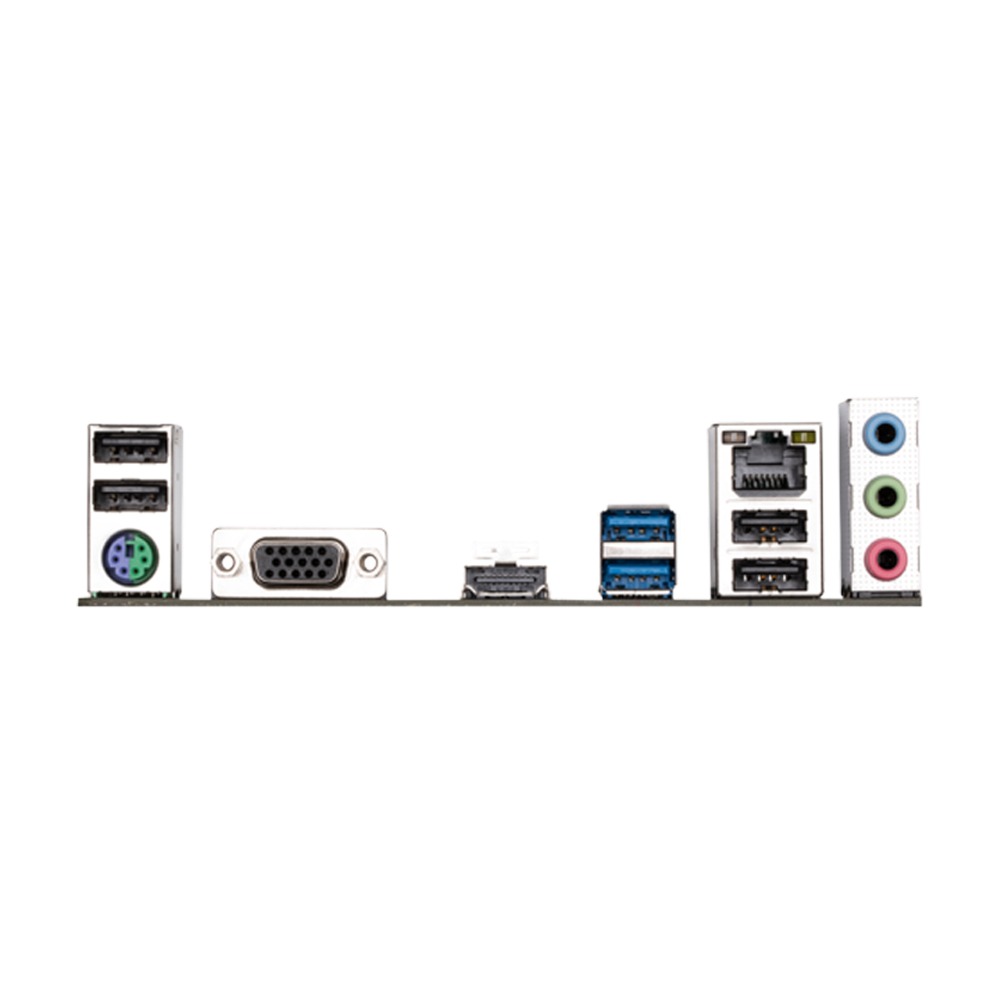
  • Back Panel I/O Ports:
    • 1 x PS/2 keyboard/mouse port
    • 1 x D-Sub port
    • 1 x HDMI port
    • 2 x USB 3.2 Gen 1 ports
    • 4 x USB 2.0/1.1 ports
    • 1 x RJ-45 port
    • 3 x audio jacks
Back to top