





Everything important at a glance for this product

Delivery is available within 3 hours during working hours for products that do not require installation or assembly

Installment options available for this product: Tabby, Deema, Taly.

Backed by an authorized agent warranty on eligible products



 Estimated delivery:1 work day
 Free return within: 14 days of purchaseSecure shopping your data is always safe
Logitech Combo Touch Keyboard Case – Designed for iPad Pro
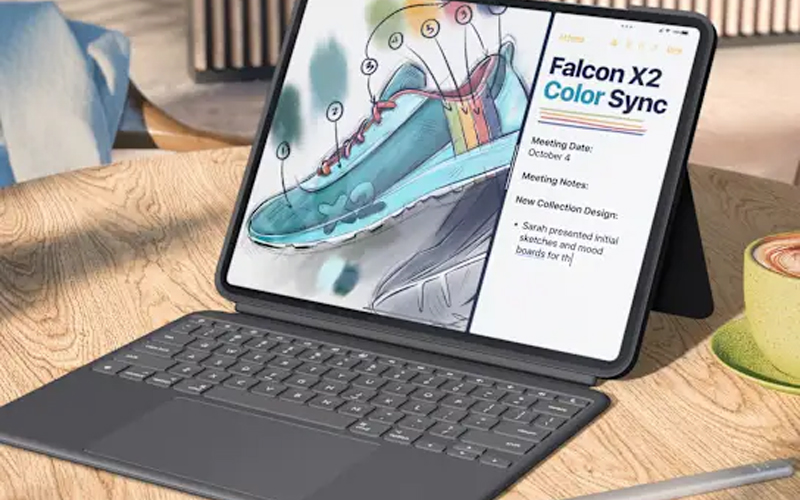
The Logitech Combo Touch is a protective, full-featured keyboard case for iPad Pro, delivering a versatile typing experience, adjustable stand, and large trackpad — giving your iPad Pro a true laptop feel when needed, with the convenience of a tablet when you detach it.
Key Specifications
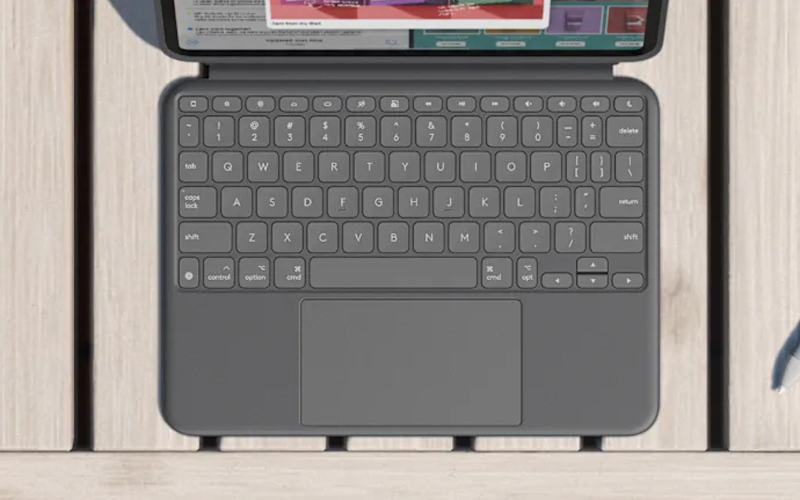
Keyboard Layout: Full-size with backlit keys, iPadOS shortcut row Trackpad: Large clickable trackpad with multi-touch gesture support Connectivity: Smart Connector (no Bluetooth needed) Power Supply: Draws power from the iPad — no batteries required Build Material: Rigid shell, soft-touch interior lining Compatibility: iPad Pro models that support Smart Connector Use Modes: Type, View, Sketch, Read | |
 | |
 | |
Keyboard & Typing Features
The case includes a detachable back-lit keyboard with scissor switches for comfortable, precise typing. The full-size layout includes iPadOS shortcut keys, media controls, and other dedicated functions. Equipped with a large trackpad that supports multi-touch gestures, giving you macOS-like navigation and productivity.
Multi-Mode Use
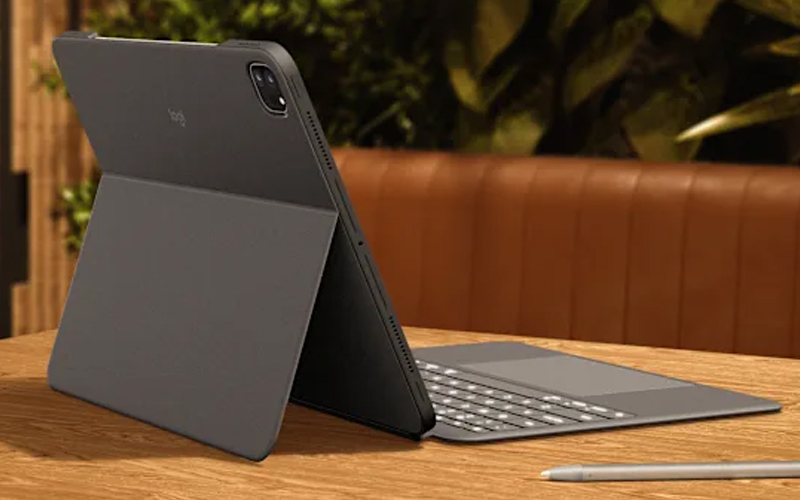
Type Mode – Use the keyboard and trackpad for productivity scenarios like writing, spreadsheets, or long-form typing. View Mode – Adjust the kickstand to hold your iPad at a comfortable angle for viewing, video calls, or streaming content. Sketch Mode – Fold the back to lay the iPad flat for drawing with Apple Pencil, note-taking, or marking up documents. Read Mode – The case supports a folded position that provides a stable base for reading or browsing content. | |
Protection & Build
Provides durable protection for both front and back of the iPad Pro with a hard shell case. Built-in magnets secure the iPad Pro in place and keep the keyboard attached when in use. Offers precise cutouts for ports, enabling full access to USB-C, camera, and speakers without removing the case.
Power & Connectivity
The keyboard connects via the iPad’s Smart Connector, so no separate pairing or charging is needed — keyboard power is drawn directly from the iPad. The trackpad and keyboard work seamlessly together, enabling shortcuts, multi-touch gestures, and productivity workflows with ease.
Why Choose the Combo Touch If you want to transform your iPad Pro into a productivity powerhouse, the Combo Touch delivers. It’s ideal for writing, sketching, creative work, content creation, and hybrid usage — offering a blend of portability, protection, and input flexibility that rivals traditional laptops. | |
 |


 Login
Login

 العربية